Design System
Every colour, font, component, and pattern that makes Club Coco feel like Club Coco. Use this as your foundation for proposals, internal apps, and client work.
Foundation
Components
Patterns
Upload CLUB_COCO_DESIGN_SYSTEM_v2.md at the start of any Claude conversation, then say what you want to build. Claude will use the exact colours, fonts, and component styles from this system automatically.
Colours
Seven brand colours. Click any swatch to copy the hex code.
PRIMARY COLOURS
SECONDARY COLOURS
--cc-brown-dark:    #663d2e;   /* primary text, borders, headings */
--cc-brown-mid:     #916036;   /* secondary text, icons */
--cc-pink:          #ff94a7;   /* primary accent, CTAs */
--cc-peach:         #ffc8af;   /* backgrounds, cards */
--cc-cream:         #f9eed9;   /* main page background */
--cc-pale:          #ffffdc;   /* light surface, cards */
--cc-chartreuse:    #e7e18e;   /* accent green, success, second CTA */
--cc-white:         #ffffff;
Cream card
Peach card
Chartreuse card
Typography
Barnule for display, Space Grotesk for UI and headings, DM Mono for body and code. Colours use coco brown (--cc-brown-dark).
font-family: var(--font-display);
font-size: var(--type-h1-size);
font-weight: var(--type-h1-weight);
line-height: var(--type-h1-lh);
font-family: var(--font-display);
font-size: var(--type-h2-size);
font-weight: var(--type-h2-weight);
line-height: var(--type-h2-lh);
font-family: var(--font-heading);
font-size: var(--type-h3-size);
font-weight: var(--type-h3-weight);
line-height: var(--type-h3-lh);
letter-spacing: var(--type-h3-ls);
font-family: var(--font-heading);
font-size: var(--type-h4-size);
font-weight: var(--type-h4-weight);
line-height: var(--type-h4-lh);
text-transform: uppercase;
We help founders build brands with strategy behind every decision.
font-family: var(--font-body);
font-size: var(--type-body-size);
font-weight: var(--type-body-weight);
line-height: var(--type-body-lh);
letter-spacing: var(--type-body-ls);
font-family: var(--font-badge);
font-size: var(--type-badge-size);
font-weight: var(--type-badge-weight);
line-height: var(--type-badge-lh);
text-transform: uppercase;
Monospace
font-family: var(--font-mono);
font-size: var(--type-mono-size);
font-weight: var(--type-mono-weight);
line-height: var(--type-mono-lh);
- We help founders build brands with strategy behind every decision.
- We help founders build brands with strategy behind every decision.
.cc-display  — Barnule hero (fluid, max 56px, lh 1.05)
.cc-h1       — H1 tokens
.cc-h2       — H2 Barnule 36px / 400
.cc-h2-md    — alias → H3 scale (24px Space Grotesk)
.cc-h2-sm    — alias → H4 scale (18px uppercase)
.cc-h3 / .cc-h4 — heading scale
.cc-body     — DM Mono body
.cc-list-brandmark — unordered list; brandmark bullets (add to ul with .cc-body)
.cc-label    — small uppercase label (e.g. PRIMARY COLOURS)
.ds-token-title.cc-h4 — doc subgroup title (H4 scale + rule)
.cc-badge    — Space Grotesk 9px badge
.cc-mono     — DM Mono small (11px / 500)
.cc-price    — Space Grotesk, prominent totals
Spacing & Radius
8pt spacing scale. Chunky 20px card radius.
4px
10px
20px — cards
100px — buttons
--shadow-card:       5px 5px 0px var(--cc-brown-dark);
--shadow-card-hover: 7px 7px 0px var(--cc-brown-dark);
--shadow-sm:         2px 2px 0px var(--cc-brown-dark);
Logos
Three variants for different contexts. Pick any brand colour to recolour the logo fill. Background stays neutral.
Illustration
Flat tropical motifs. Brown, pink, and chartreuse. No outlines on fills.

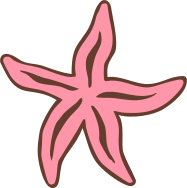
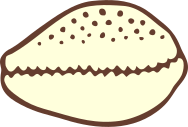
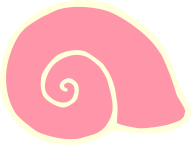










DO — use as empty state decorations, section accents, or hero art
DON'T — add outlines or shadows to flat fills
DON'T — mix more than 2 motifs in a single small space
Buttons
Pill shape. Bold border. Three variants.
<button class="cc-btn cc-btn-primary">Book Now</button>
<button class="cc-btn cc-btn-secondary">Learn More →</button>
<button class="cc-btn cc-btn-chartreuse">View Services</button>
<button class="cc-btn cc-btn-primary cc-btn-sm">Small CTA</button>
.cc-btn {
  /* pill + 4px offset shadow; hover lifts (translate + deeper shadow) */
  border-radius: var(--radius-pill);
  border: 2.5px solid var(--cc-brown-dark);
  box-shadow: 4px 4px 0 var(--cc-brown-dark);
}
.cc-btn:hover {
  transform: translate(-2px, -2px);
  box-shadow: 6px 6px 0 var(--cc-brown-dark);
}
Inside .cc-card: primary is solid coco brown with cream label, no shadow — hover swaps to cream + brown text. Secondary is outline on the card surface (no shadow); hover inverts to brown fill + cream text. Chartreuse/peach keep a fixed hard shadow.
Cream card
<div class="cc-card cc-card-cream">
  <h3 class="cc-h3" style="font-size:1.05rem;margin-bottom:0.35rem">Cream card</h3>
  <div class="cc-body-sm">…</div>
  <button class="cc-btn cc-btn-primary">Primary on card</button>
  <button class="cc-btn cc-btn-secondary">Secondary on card</button>
</div>
Cards
2.5px coco border, 20px radius, hard 5px offset shadow. Content-style cards use h3.cc-h3 + .cc-body-sm (intro, Buttons on cards). Variant showcases may use .cc-card-title (Barnule). Hover to lift — in-card button rules in Buttons.
Pale yellow
Default card surface
Peach
Warm accent card
Chartreuse
Pop accent card
<div class="cc-card">
  <h3 class="cc-card-title">Pale yellow</h3>
  <p class="cc-card-desc">Default card surface</p>
</div>
<div class="cc-card cc-card-peach">…</div>
<div class="cc-card cc-card-chartreuse">…</div>
<div class="cc-card cc-card-pink">…</div>
<div class="cc-card cc-card-cream">…</div>
.cc-card {
  background: var(--cc-pale);
  border: 2.5px solid var(--cc-brown-dark);
  border-radius: var(--radius-lg);    /* 20px */
  padding: 1.5rem;
  box-shadow: var(--shadow-card);     /* 5px 5px 0px #663d2e */
  transition: transform 0.15s ease, box-shadow 0.15s ease;
}
.cc-card:hover {
  transform: translate(-2px, -2px);
  box-shadow: var(--shadow-card-hover); /* 7px 7px 0px #663d2e */
}
.cc-card-title — on <h3> or <h4> only (never h1/h2 in a card)
.cc-card-desc  — DM Mono body scale, coco brown
Badges
Pill shape. Uppercase. Used for statuses and labels.
<span class="cc-badge cc-badge-active">Active</span>
<span class="cc-badge cc-badge-pending">Pending</span>
<span class="cc-badge cc-badge-new">New</span>
<span class="cc-badge cc-badge-neutral">Paused</span>
<span class="cc-badge cc-badge-dark">Archived</span>
Forms
Clean inputs with pink focus ring. Uppercase Space Grotesk labels.
<label class="cc-field-label">Member Name</label>
<input class="cc-input" type="text" placeholder="e.g. Mila Lesuma" />

<label class="cc-field-label">Plan</label>
<select class="cc-select">
  <option>Hot Desk</option>
</select>
Tables
For members, bookings, invoices. Hover rows highlight in peach.
<table class="cc-table">
  <thead><tr><th>Member</th><th>Plan</th><th>Status</th></tr></thead>
  <tbody>
    <tr>
      <td>Mila Lesuma</td>
      <td>Private Office</td>
      <td><span class="cc-badge cc-badge-active">Active</span></td>
    </tr>
  </tbody>
</table>
Proposals
The "Journey" layout — step cards + total bar.
App Shell
Sidebar layout for internal tools — The Club Room, invoicing, member management.
.cc-app-shell {
  display: grid;
  grid-template-columns: 220px 1fr;
  min-height: 100vh;
}
.cc-sidebar {
  background: var(--cc-brown-dark);
  padding: 1.5rem 0;
}
.cc-nav-item {
  font-family: var(--font-ui);
  font-size: 0.8rem;
  color: rgba(249, 238, 217, 0.6);
  padding: 0.65rem 1.25rem;
  transition: all 0.15s;
}
.cc-nav-item:hover  { background: rgba(255,148,167,0.2); color: var(--cc-cream); }
.cc-nav-item.active { background: var(--cc-pink); color: var(--cc-brown-dark); }
Voice & Copy
How Club Coco sounds in a UI.
| Situation | Write this | Not this |
|---|---|---|
| Empty state | "Nothing here yet — time to add your first member ✦" | "No records found." |
| Error | "Something went wrong — let's try that again." | "An error occurred." |
| Success | "Done! That's looking great." | "Operation successful." |
| Delete confirm | "You sure? This can't be undone." | "Are you sure you want to delete this record?" |
| Loading | "One sec..." | "Loading, please wait..." |
| CTA buttons | "Book Now", "Let's Go", "Send Invoice" | "Submit", "Confirm", "OK" |
Use ✦ as a decorative sparkle in headings, empty states, and section dividers.
Tagline: "Strategy with Soul ✦"
Divider text: "Strategy with Soul ✦ Strategy with Soul ✦"